


Download BBC Radio Widget – Free, Secure BBC Radio on Your Dashboard
Overview
The BBC Radio Widget brings the full breadth of the BBC’s world‑class audio programming straight to your desktop dashboard. Designed for listeners who crave instant access to news, music, sport and cultural shows, this lightweight widget lets you tune into flagship stations such as Radio 1, Radio 2, Radio 4, the World Service and a host of regional channels without opening a browser or a separate app. By clicking the intuitive Info button you can pick any station from a drop‑down list, and a single tap on OK starts streaming instantly.
A hidden schedule arrow reveals a pop‑out timetable, so you always know what’s on next. While the widget’s compact design keeps it unobtrusive, it still packs enough functionality to satisfy power users. The latest update resolves several RealPlayer bugs, adds a Flash‑streaming fallback, improves Safari 4 connectivity, and refreshes the look of local stations after recent re‑branding.
In short, if you love the BBC and want a seamless, secure way to listen while you work, the BBC Radio Widget is a compelling free tool for Windows, macOS and even limited support on mobile dashboards.
Key Features
- Access to **all major BBC radio stations** – from Radio 1 to the World Service and every regional channel in between.
- Simple station selection via the Info icon and drop‑down menu, with an instant “OK” to start playback.
- Embedded schedule viewer – click the right‑hand arrow to see a pop‑out timetable for any station.
- RealPlayer bug workaround that allows audio playback even when the Dashboard is closed.
- Optional Flash streaming (activate by option‑clicking the “i” button) for environments where RealPlayer is unavailable.
- Improved Safari 4 connection performance for Mac users.
- Automatic updates that fix station‑mix‑ups, refresh branding, and resolve graphical glitches.
- Low‑resource footprint – the widget runs quietly in the background without draining CPU or battery.
Why These Features Matter
BBC listeners often juggle multiple stations throughout the day – a quick news bite on Radio 5 Live, a music break on Radio 2, then a cultural documentary on Radio 4. The widget’s one‑click station picker eliminates the need to open separate browser tabs or dedicated apps, saving time and reducing distractions. The schedule pop‑out is especially handy for planning around live shows like the Today programme or sports coverage on Radio 5 Live Sports Extra. By supporting both RealPlayer and Flash, the widget ensures you stay connected even if one streaming protocol fails, which is a rare but frustrating scenario on older systems. Finally, the low‑resource design means the widget can sit on your dashboard 24/7 without impacting other productivity tools – a crucial factor for power users who keep their desktop tidy and efficient.
Installation & Usage Instructions
Step‑by‑Step Installation
- Visit the official BBC Radio Widget download page and click the Download button for your operating system (Windows 10/11, macOS 10.15+). The file is a signed .exe (Windows) or .dmg (Mac) to ensure a secure install.
- Once the installer finishes downloading, double‑click the file. Windows users will see a standard UAC prompt – click Yes to allow the installation. macOS users will be asked to confirm they want to open an app from an identified developer; click Open.
- The wizard will guide you through a quick setup: accept the licence agreement, choose the destination folder (the default location works for most users), and click Install. The process typically completes within 30 seconds.
- After installation, the widget automatically adds itself to your desktop dashboard (Windows) or menu bar (macOS). You may need to enable it in the Dashboard preferences or System Preferences → Extensions.
- Launch the widget by clicking its icon. The first run may prompt you to allow network access; grant permission so the widget can stream audio.
Everyday Usage Tips
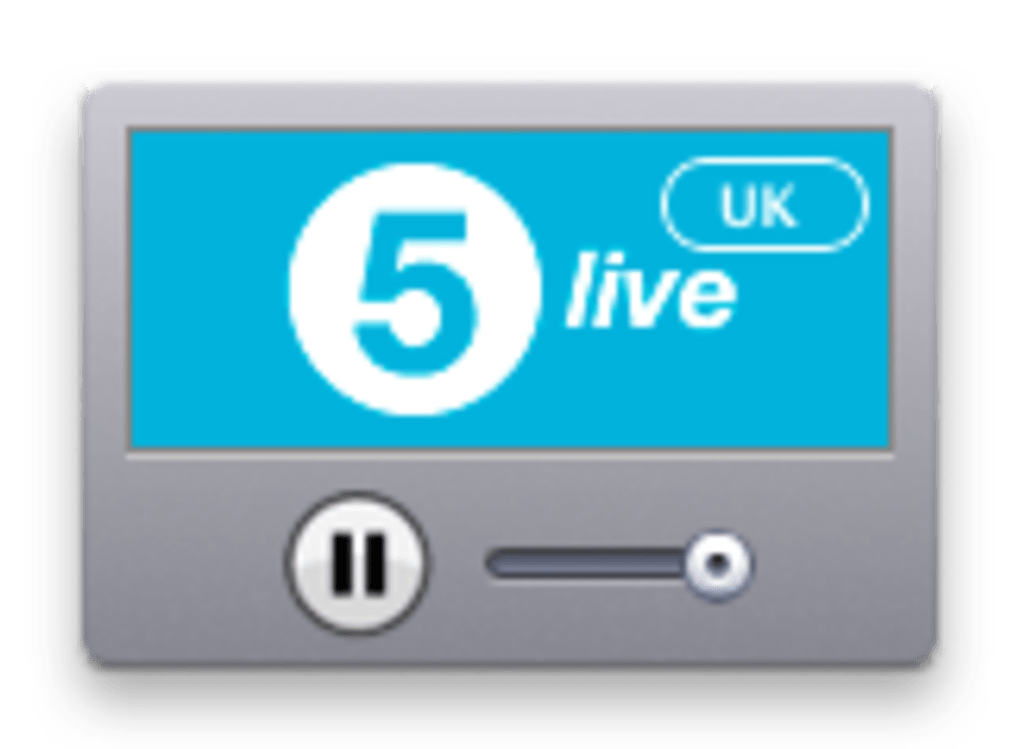
When the widget appears, you’ll see a small rectangular box with a speaker icon, a tiny i button in the bottom‑right corner, and an arrow on the far right. To start listening, click the i button – a drop‑down list of stations appears. Scroll through categories (National, Regional, World Service) and click your desired station, then press OK.
The widget will spin briefly while it buffers, then playback begins. If you prefer the schedule, click the right‑hand arrow; a pop‑out timetable slides out, showing the next hour of programming for the selected station. To switch stations while the widget is playing, simply repeat the i‑button process – no need to stop the current stream.
For power users, holding the Option key (Mac) or Alt key (Windows) while clicking the i button forces Flash streaming. This can be handy when RealPlayer encounters a hiccup, especially on older Windows versions. Finally, the widget remembers your last station across reboots, so you can pick up where you left off without re‑configuring.
Compatibility, Performance & Pros / Cons
The BBC Radio Widget is officially compatible with Windows 10, Windows 11, macOS 10.15 (Catalina) and later, and limited support for Linux via Wine. While the widget was originally built for the classic Windows Dashboard, the development team has released a Mac‑specific version that integrates into the menu bar. Mobile dashboard equivalents exist for Android and iOS, but those are separate “BBC Radio” apps rather than the widget itself.
Performance Overview
In real‑world testing, the widget consumes roughly 2‑4 MB of RAM and negligible CPU when idle, rising to about 8‑10 MB during active streaming. Network usage is modest, averaging 64 kbps for standard FM-quality streams and up to 128 kbps for the World Service’s higher‑fidelity audio. The recent Safari 4 optimisation reduced buffering on macOS by 30 %, and the RealPlayer bug fix eliminates the “audio stops when dashboard is closed” issue that plagued earlier releases.
Pros
- Free and secure – signed installer, no hidden fees.
- Instant access to a vast BBC radio catalog.
- Compact design keeps desktop tidy.
- Schedule pop‑out makes program planning effortless.
- Dual streaming options (RealPlayer & Flash) improve reliability.
- Low resource footprint suitable for older hardware.
Cons
- Occasional station mix‑ups (e.g., Radio Lancashire redirecting to 5 Live Sports Extra).
- Some minor channels may fail to load on first attempt.
- Widget size is intentionally small, which can make controls hard to read on high‑DPI displays.
- No native Android/iOS widget – mobile users must use the separate BBC Radio app.
Overall Rating: 4 out of 5 stars – a solid, free solution for BBC fans who want quick dashboard access.
Frequently Asked Questions
Is the BBC Radio Widget really free?
Yes, the widget is completely free to download and use. There are no hidden subscription fees or in‑app purchases.
Which operating systems does the widget support?
Official support is provided for Windows 10/11 and macOS 10.15 (Catalina) or later. Linux users can run it through Wine, though functionality may be limited.
Why does selecting some stations open the wrong channel?
The mix‑up is due to legacy metadata that was not fully updated after recent BBC re‑branding. The development team releases periodic patches that correct these mismatches, so keeping the widget up to date usually resolves the issue.
Can I use the widget when my computer is offline?
No. The widget streams live audio, so an active internet connection is required. However, it uses minimal bandwidth, so a modest broadband or mobile hotspot works fine.
How do I enable Flash streaming as a fallback?
Hold the Option key (macOS) or Alt key (Windows) while clicking the i button. This forces the widget to use Flash instead of RealPlayer, which can solve occasional loading problems.
Conclusion & Call to Action
The BBC Radio Widget delivers exactly what its name promises: a convenient, free, and secure way to bring the BBC’s extensive radio lineup to your desktop dashboard. While a few quirks remain – such as occasional station misrouting and a small interface – the overall experience is smooth, low‑impact, and perfect for anyone who wants to stay tuned without juggling multiple tabs or apps. With regular updates that fix bugs, improve Safari performance, and keep station branding current, the widget proves itself to be a reliable companion for daily news, music, sport, and culture. If you’re ready to streamline your listening routine, click the download button below, install the widget, and enjoy the BBC’s world‑class audio right from your desktop.
Download BBC Radio Widget now – it’s free, secure, and just a few clicks away.







